Sony XL2400 TV Lamp Replacement Guide
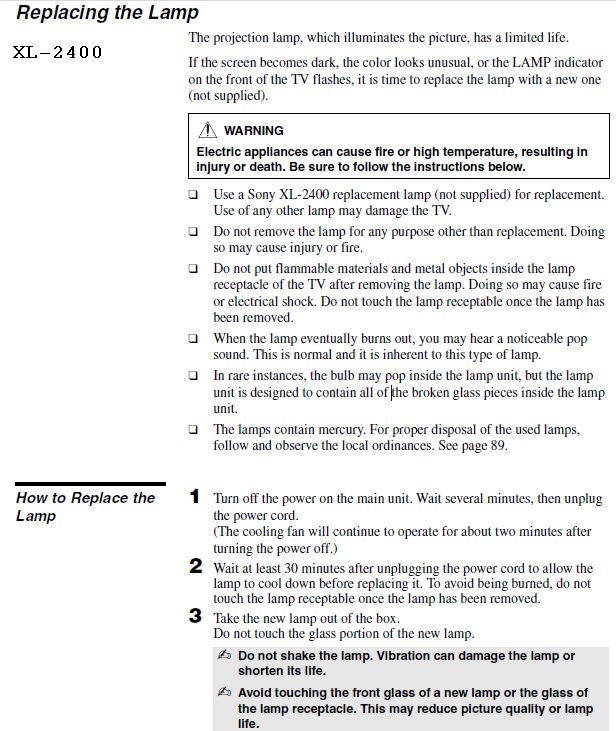
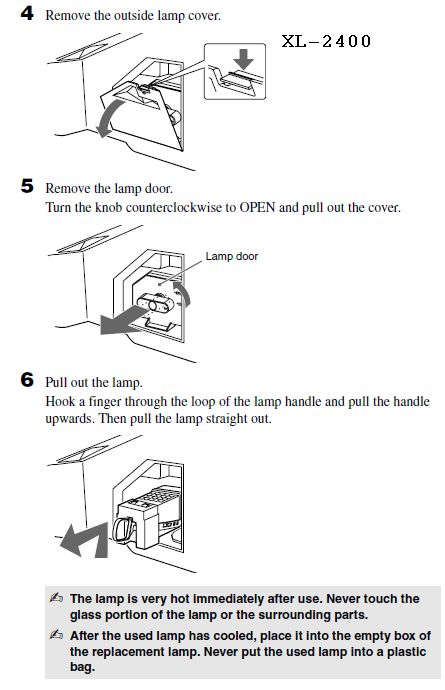
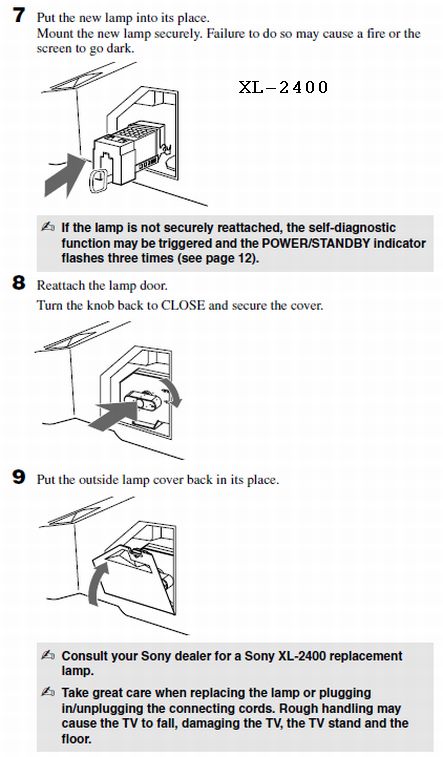
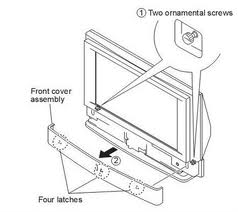
Sony XL-2400 Owners Manual for Models that use XL2400 lamp.
KDF-E42A10 KDF-E50A10 KDF42E2000 KDF50E2000 KF42E200A
For other Sony Models CLICK HERE and enter model number
KDF-E42A10 KDF-E50A10 KDF42E2000 KDF50E2000 KF42E200A
For other Sony Models CLICK HERE and enter model number
|
|
Sony XL2400 Lamp Cage
Dis-assembly and Bulb replacement
1. Remove Plug Screw and 2 Side Screws
2. Cage separates into 2 parts
3. Remove wires from old bulb, Remove corner clips and old bulb
2. Cage separates into 2 parts
3. Remove wires from old bulb, Remove corner clips and old bulb
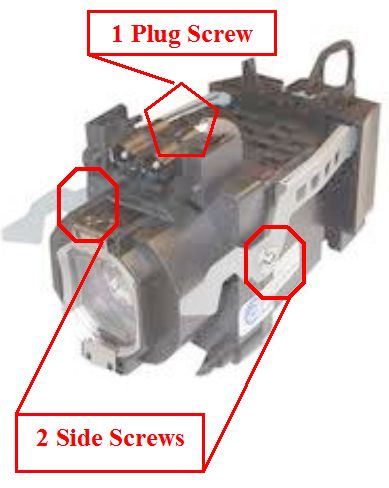 Sony XL2400 Cage Dis-assembly |
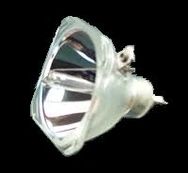 Sony XL2400 Bulb
(Click to Purchase) |
4. Insert new bulb in same position as original
5. Install corner clips
6. Gently re-connect plug wires in same position as original
7. Insert plug correctly in bottom half of cage
8. Position top half of cage using alignment tabs and over plug
9. Insert Plug Screw first, then 2 side screws
5. Install corner clips
6. Gently re-connect plug wires in same position as original
7. Insert plug correctly in bottom half of cage
8. Position top half of cage using alignment tabs and over plug
9. Insert Plug Screw first, then 2 side screws
Common Sony TV models that use XL-2400 Lamp: KFE42A10, KF50E200A, KF42E200A, KDF-E42A10, KDF-E50A10, KDF-46E2000, KDF-50E2000, KDF-55E2000, KDF-42E2000, F-9308-750-0, KF-E42A10
 Browse Sony Lamps |
|

One Page Bulb Installation Guide for other Sony Lamps
(Click on Lamp)
(Click on Lamp)
|
|


